
Before you start
KeySigner on iPhone or Mac and a browser
- Use an activated, email-verified local Salsa account and a non-production project the account can read. Save the recovery codes that Salsa provides after enrollment.
Data and access
Confirm the local Salsa account
Sign in at salsa.debian.org with an activated, email-verified test account you control. Note the username and an existing non-production project the account can read. Keep this original session open.
Check. The account is active on Salsa and opens the expected project.
Register the Salsa authenticator
In your Salsa profile, open Access, then Password and authentication. In the one-time password authenticator section, choose Register authenticator to display the QR code. In KeySigner, open Accounts and choose Add (+), then Sign-in codes and backup. Unlock Sign-in codes, choose Add account, and scan the setup QR code. Keep the QR code and setup key private.
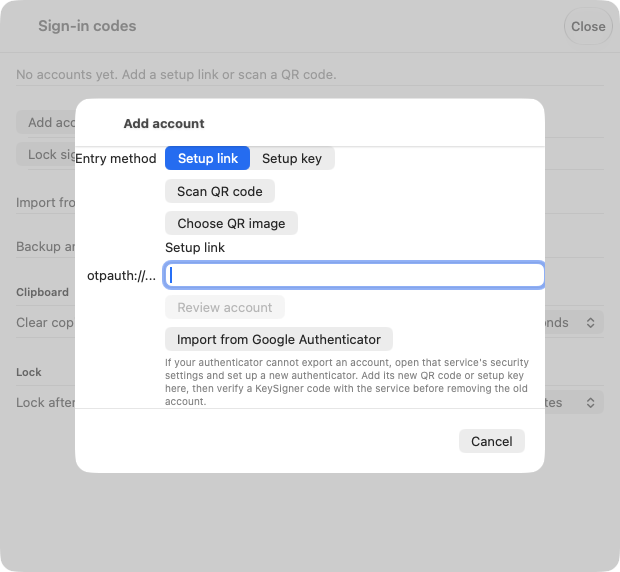
Scan the setup code for your test account in KeySigner. View full-size screenshot Check. KeySigner shows an entry for your Salsa account.
Confirm enrollment and keep the recovery codes
In KeySigner, choose Show code and complete the required approvals. Enter the displayed code before it changes. Complete the rest of Salsa’s enrollment form and choose Register with two-factor app. Download the recovery codes and store them separately.
Check. Salsa confirms enrollment and shows recovery codes.
Reopen the same project in a private browser
Open Salsa in a private browser using the same local username. When prompted by Salsa, enter a fresh KeySigner code. Confirm your avatar menu shows the original username and that the test project still opens.
Check. The private browser accepts a current code and shows the same account and project.
Check your result
Record the Salsa host, account and project checked. Verify project membership, automation tokens, Debian package upload permissions, and archive signing separately.
What we tested
Tested on . In a local test, KeySigner imported a synthetic QR code and generated a code that matched an independent verifier. The hosted steps follow the provider’s published instructions. Confirm the hosted sign-in on your own test account.
If you get stuck
The expected Salsa account or project is missing
Check whether you opened a different GitLab instance or followed a linked external sign-in. Salsa requires an activated local account before you can link another identity. If the account and project match and the code expires, wait for a fresh code.